Table Tennis CCA Website
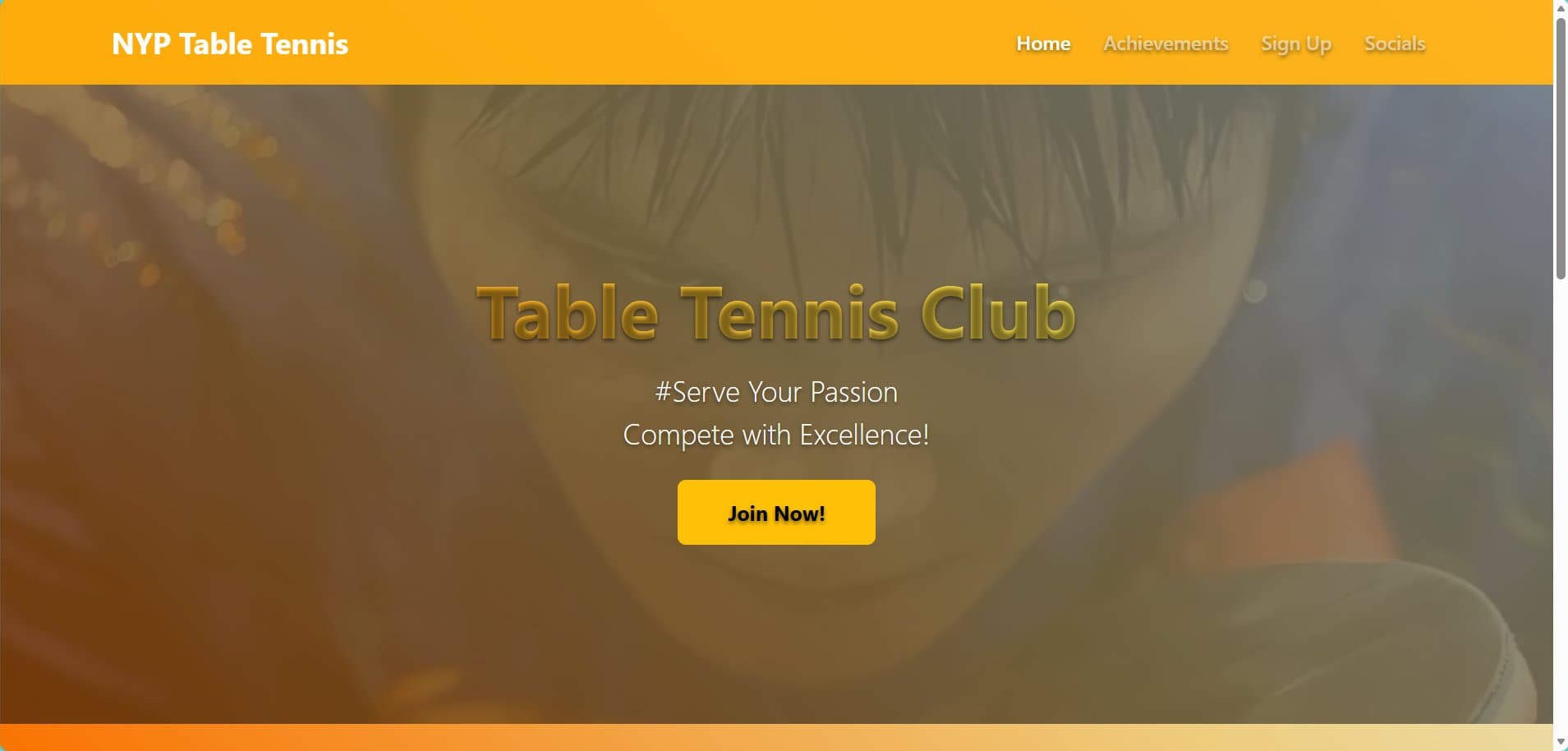
The club had no home on the web — schedules and results lived in group chats. I designed and built one, from wireframe to deploy.
7
Page sections
5+
UI components
✓
Fully responsive
3
API integrations
What it does
- 🏠 Hero & landing
- 🏆 Achievements table
- 📅 Events calendar
- 📷 Instagram feed
- 👥 Member spotlight
- 📱 Responsive design
- 🎨 Accordion UI
- 🔗 Social links
Built with
- HTML5
- CSS3
- JavaScript
- Bootstrap 5
- Figma
- Instagram API
- Google Calendar
Walkthrough
Scroll to follow the build, screen by screen.
The problem
The club lived in a group chat
Training times, results, and recruitment notices were scattered across chat history. New students had nowhere to look, and the committee re-posted the same information every semester. The site had to be the one place that answered those questions.
Recruitment
Answer "why should I join?" first
The section a prospective member reaches first is the one that has to earn their attention. Benefits, training commitment, and skill level are stated plainly rather than buried under club history.
Credibility
Results, sortable and current
An achievements table with sorting, alongside an events calendar. Competition results are the club’s strongest recruiting argument, so they get a section rather than a footnote.
Staying current
Let the feed do the updating
The club already posted to Instagram constantly, so the site embeds that feed rather than asking the committee to maintain a second stream. The page stays current without anyone remembering to update it.
The people
Members, not stock photography
A spotlight section with real members and their own words. It was the part the committee cared most about, and the part that makes the site feel like a club rather than a brochure.
01 / 05
The case study
Situation & Task
The Table Tennis CCA lacked an official online presence, limiting outreach and engagement with students. With no centralised platform for event schedules, achievements, or recruitment, information was scattered across group chats. I was tasked with building a responsive website from scratch to establish their digital platform.
Actions Taken
Designed and built the full CCA website from scratch — hero section with image carousel, achievements table with sorting, events calendar, Instagram feed integration via embed, member spotlight with testimonials, contact information with accordion UI, and social media links. Applied responsive design principles throughout for mobile compatibility.
Results Achieved
Provided the CCA with a centralised digital platform that consolidated all club information in one place. Improved visibility of activities and achievements, enhanced student engagement through a modern, user-friendly design, and established a scalable template that other CCAs could adopt.
Architecture
- 🎨 Figma Wireframes
- 🌐 HTML5 / CSS3 / JS
- 📐 Bootstrap 5 Grid
- 📱 Responsive Deploy
Static front-end built with semantic HTML5, CSS3 animations, and the Bootstrap 5 grid. Third-party embeds handle the Instagram feed and Google Calendar.
A slice of the code
// Dynamic image carousel with auto-advance
const initCarousel = (container, interval = 4000) => {
  const slides = container.querySelectorAll('.slide');
  let current = 0;

  const showSlide = (index) => {
    slides.forEach((slide, i) => {
      slide.classList.toggle('active', i === index);
      slide.style.opacity = i === index ? 1 : 0;
    });
  };

  setInterval(() => {
    current = (current + 1) % slides.length;
    showSlide(current);
  }, interval);
};
Demo
What I took away
- Building a complete website from wireframe to deployment with HTML5, CSS3, and JavaScript.
- Implementing responsive design with the Bootstrap grid for a mobile-first approach.
- Integrating third-party APIs and embeds (Instagram, Google Calendar).
- Applying UX principles — visual hierarchy, whitespace, and user flow optimisation.
- Creating reusable UI components like carousels, accordions, and tabbed navigation.
- Gathering stakeholder requirements and iterating on CCA member feedback.